Some complicated stuff going on with Manley Mann.
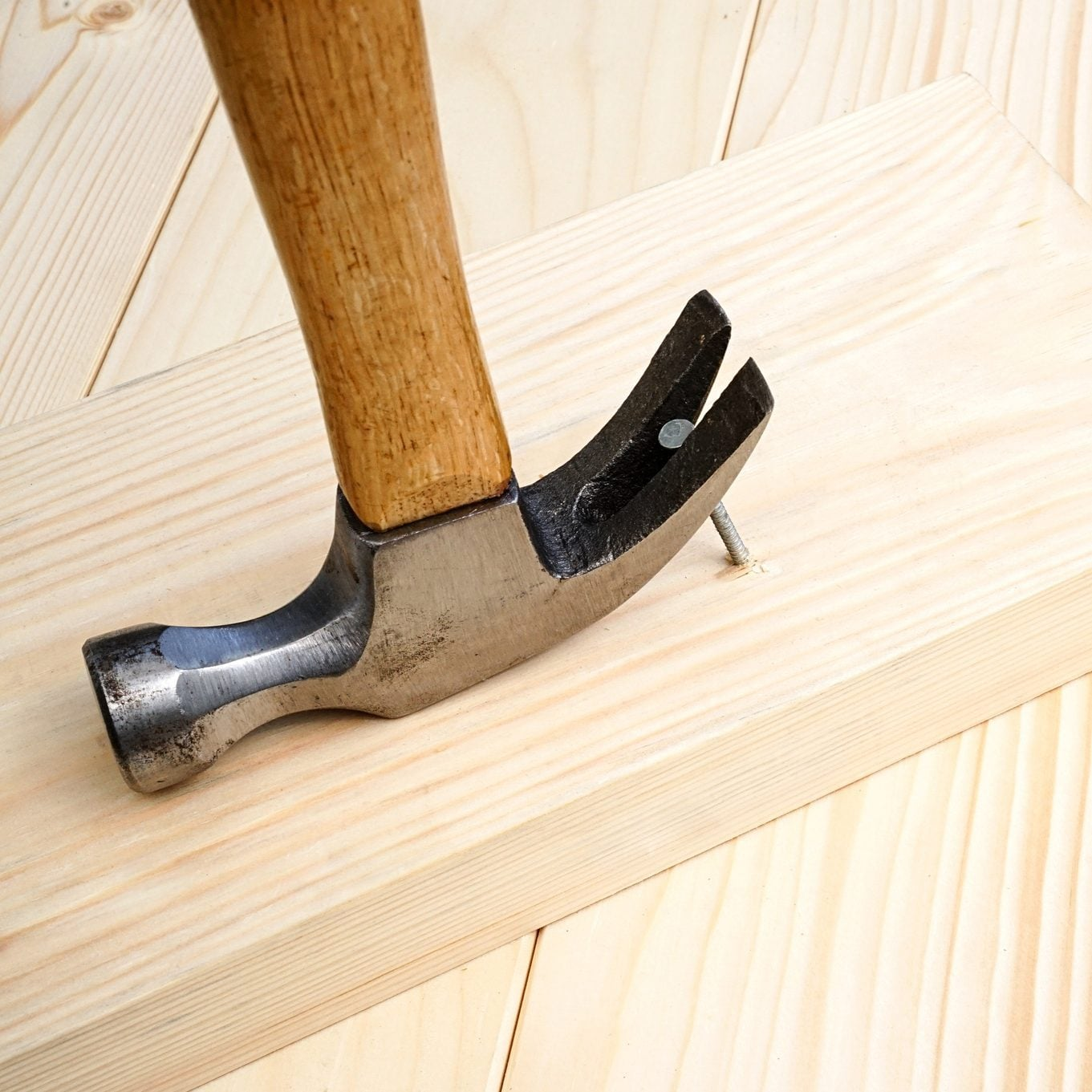
We’re adding a feature to pry off a nail with the hammer claw. I didn’t know it was called a claw.
To do so I need to build up a graph of connections between blocks and nails.
Each MergedCarryable has a set of children (Sprite, CollisionShape2D, focus outline, etc.) for each RawMaterial block that was added to it. One of those children is the HardwareArea, which defines the shape that can be hit by nails.
Naming Struggles #
I’ve been calling the node for each RawMaterial block in a MergedCarryable a HardwareAreaNode but that’s pretty confusing. To me as well as my team mate.
RawMaterial? Block? Atom? They’re indivisible pieces after all. BuildingBlock? Can’t use Object. BuildPiece? Piece?
Chunk. Lump. Component.
BuildPiece Build
Build on its own seems like it’d be too confusing. It’s a noun and a verb and it has other meanings in software.
Assemblage is a good word for the composition of build pieces.
BuildingBlock and Build. That’s tempting.
BlockAssemblage.
BuildPiece and BuildAssemblage.
BuildPiece and Build.
Workpiece?
BuildPiece and Build. Okay. Now it’ll be easier to talk / think about this.
The Problem #
A Build consists of one or more BuildPieces. BuildPieces in a Build are attached to each other directly or indirectly by Hardware (nails for now).
A Build is a Scene, a Node2D that contains the Sprite2Ds, CollisionObject2Ds, focus outlines, etc. for each BuildPiece of which it’s composed. A BuildPiece is not a Node2D, it’s just a GDScript class with references to each of those Sprite2Ds, CollisionObject2Ds, etc.
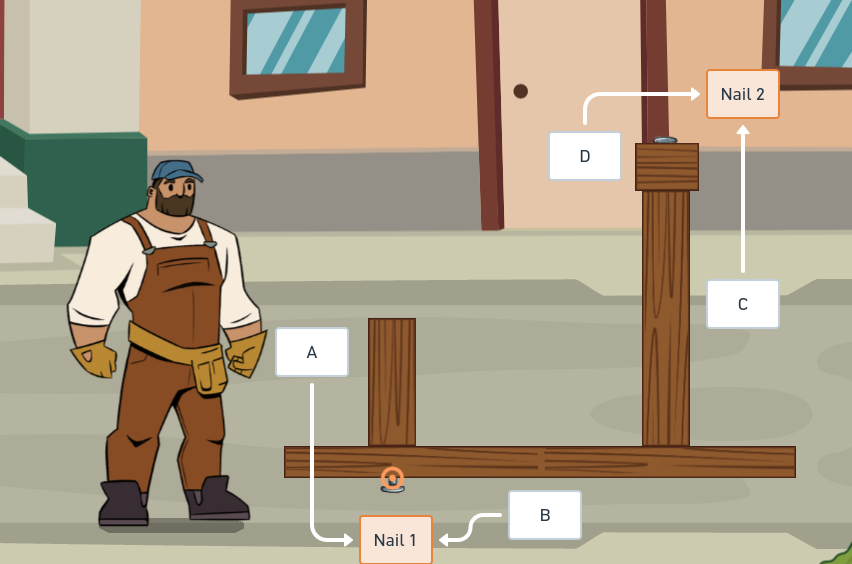
Here’s that diagram again.
BuildPieces A and B are in Build X, connected by Nail 1.
BuildPieces C and D are in Build Y, connected by Nail 2.
Now if I nail BuildPieces B and C together there are a few steps to take:
- Move all the BuildPieces and Hardware from Build Y to Build X.
- Add another Hardware (nail 3) connecting BuildPieces B and C.
- Remove Build Y.
RawMaterials should no longer be used in-game. They should be part of the workflow for creating content but they should be converted to Builds during initialization. That way I’m only ever adding Builds to Builds.
Steps to Combine Builds #
- Each BuildPiece has a FasteningArea which is used to detect where a nail could be used to join another BuildPiece.
- Two FasteningAreas collide. The BuildSystem detects this and creates a FasteningTarget.
- Using the TargetingSystem the player can choose a FasteningTarget and execute a hammer strike.
- From the two FasteningAreas, the BuildSystem gets the two BuildPieces to be joined.
- The Builds which own the BuildPieces are fetched and if they’re different Builds they will be combined.
- Traverse the BuildGraph of the smaller of the two Builds. Add each BuildPiece and Hardware to the bigger Build (and its BuildGraph).
- Remove the smaller, now-empty Build.
- Update the origin of the combined Build.
Steps to Split Builds #
- Remove the selected Hardware.
- Verify that the BuildGraph is disconnected. Otherwise, nothing else needs to be done.
- Use the BuildGraph to determine which BuildPieces were connected to the removed Hardware. Pick a BuildPiece and start traversing that tree and moving each BuildPiece and Hardware to a newly-instantiated Build.
- Update origins of both Builds.
Steps to Implement #
- Rename MergedCarryable to Build throughout.
- Convert RawMaterials to MergedCarryables at initialization.
- Maintain a BuildGraph and join a bunch of BuildPieces together to make sure it’s working.
- Implement the rest of the steps to combine builds.
- Setup an input action for the hammer claw.
- Setup hardware targeting (target selection).
- Implement the steps to split Builds.
Okay, at least there’s a plan.