Added a little tutorial. Here’s how it looks with controller buttons.
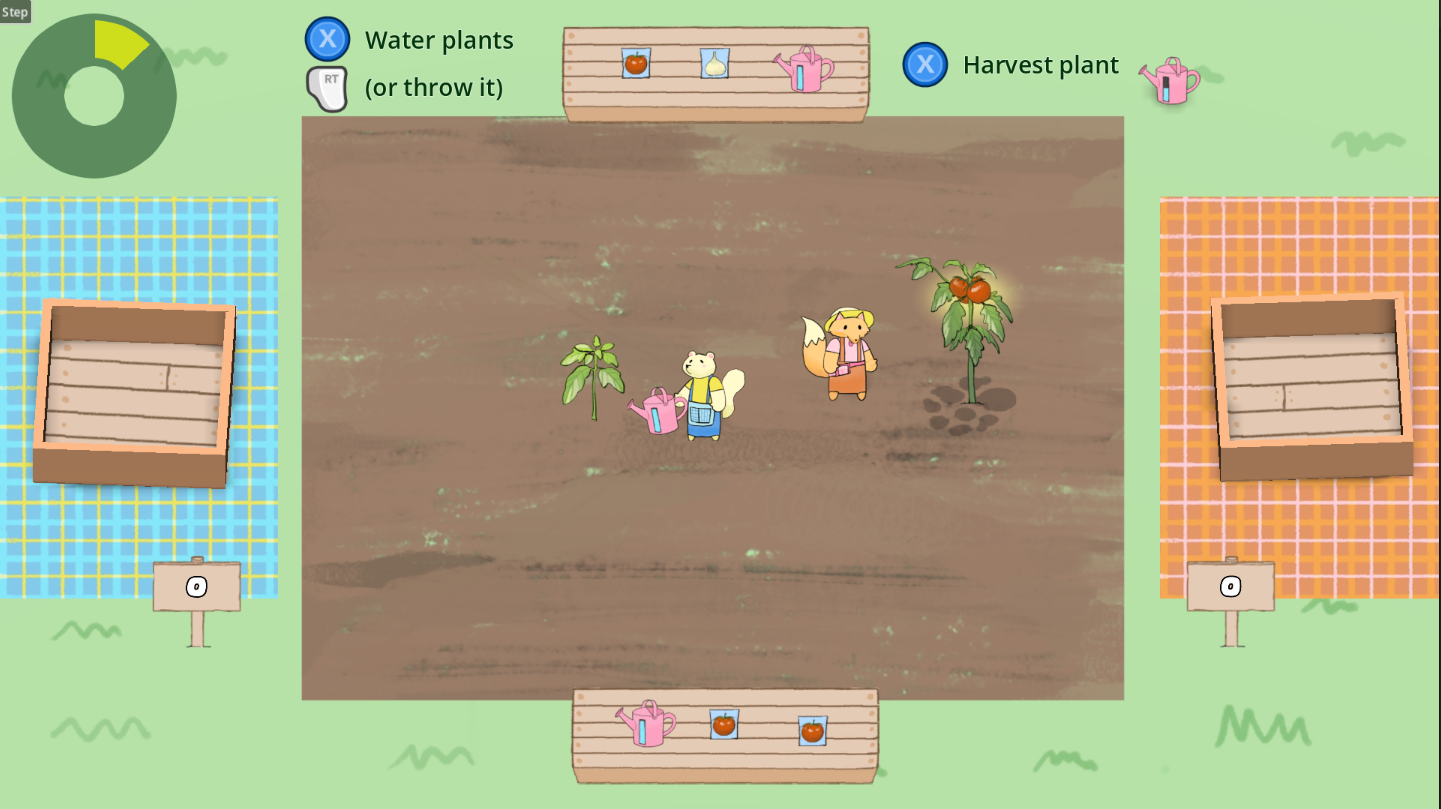
And here with keyboard keys.
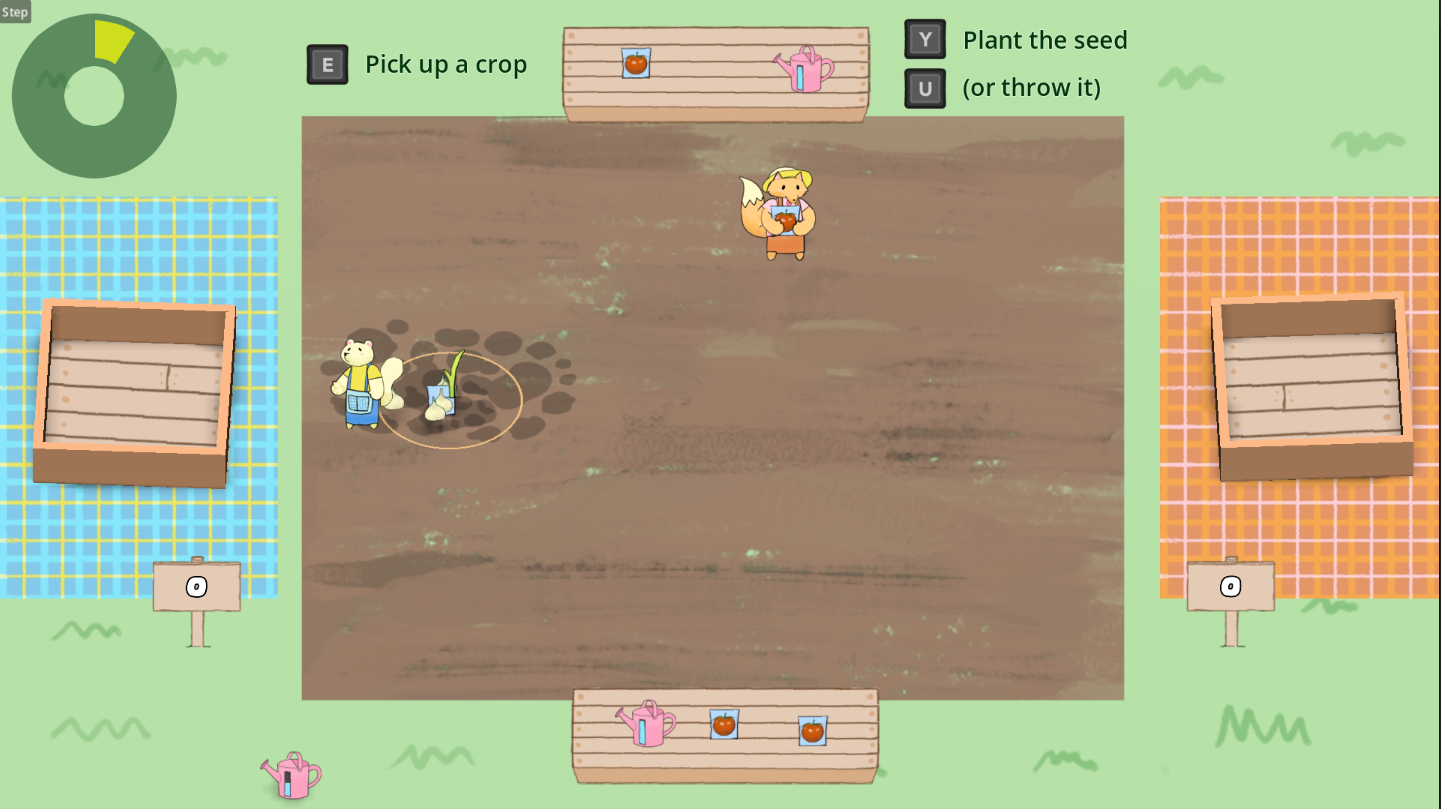
The plugin Controller Icons by rsubtil is pretty great. I like that you define the input action whose button you want to display and it looks it up and figures it out. And automatically switches between controller and keyboard.
https://github.com/rsubtil/controller_icons
One limitation since I’m doing multiplayer is that if one player uses the keyboard and the other a controller, it’ll constantly be flipping back and forth between the two but reckon it’s pretty unusual. If I notice anybody using it like that maybe I can figure out a better solution but.
For now it does the job.
I added a couple other quality of life features.
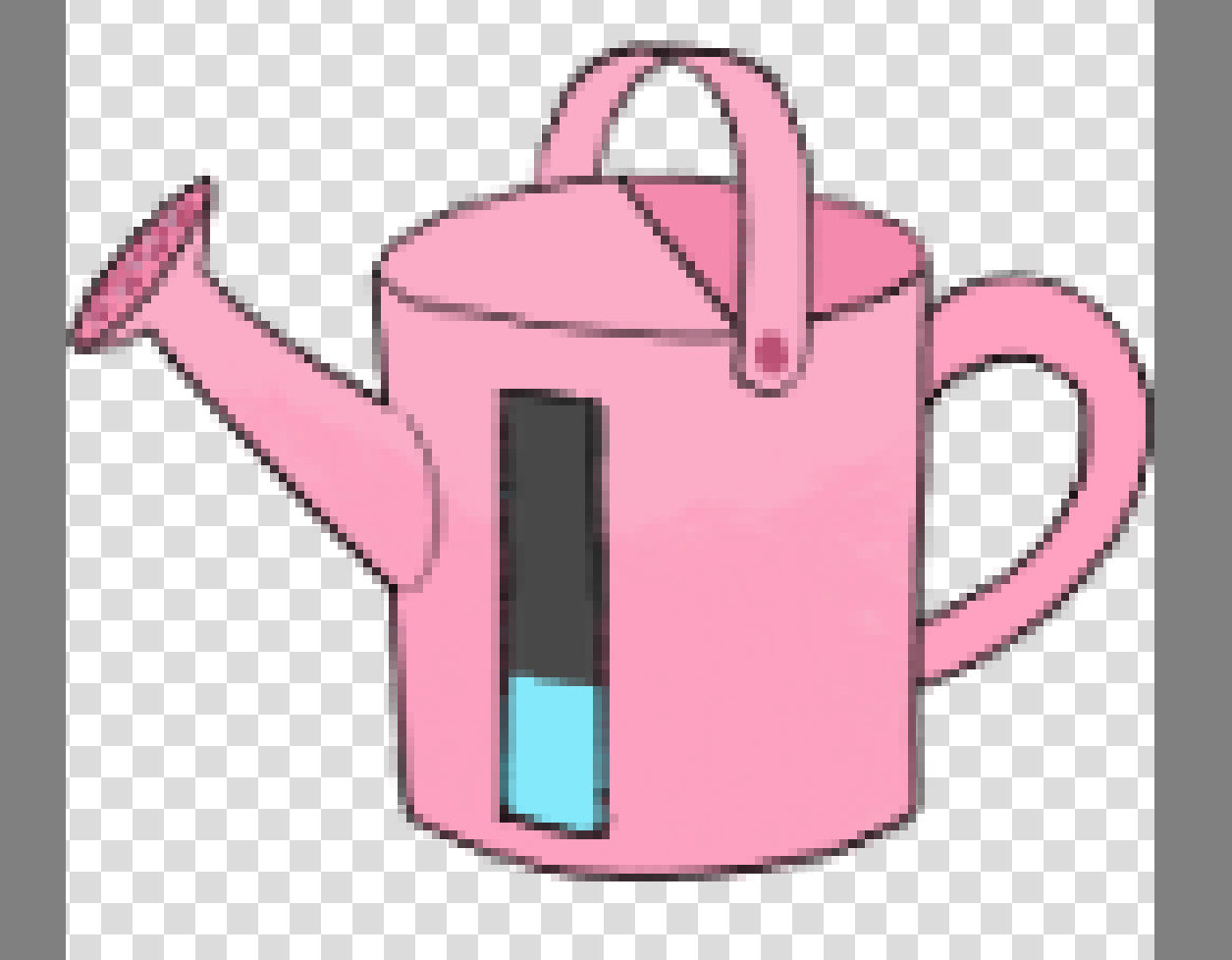
The watering can now displays a water level. In hindsight I probably could’ve used the texture progress bar or something to do this but I just did it with six separate images.
Also added a timer in the upper left corner. Nothing pretty but it helps players to know how much time is left.
Finally, when players bumped into each other previously, they were thrown back an equal distance. Most of the time both players would race to pick up whatever item was dropped and then bump into each other again. This would repeat a few times until one player essentially gave up.
Annoying and not fun.
So now one player will get thrown back by double the amount of the other player. Who gets thrown back is randomly decided. I’ll have to see how that plays out in playtesting but reckon that’ll do the trick.