Adding more hand drawn assets. They’re all gonna need redoing but I’m getting closer.
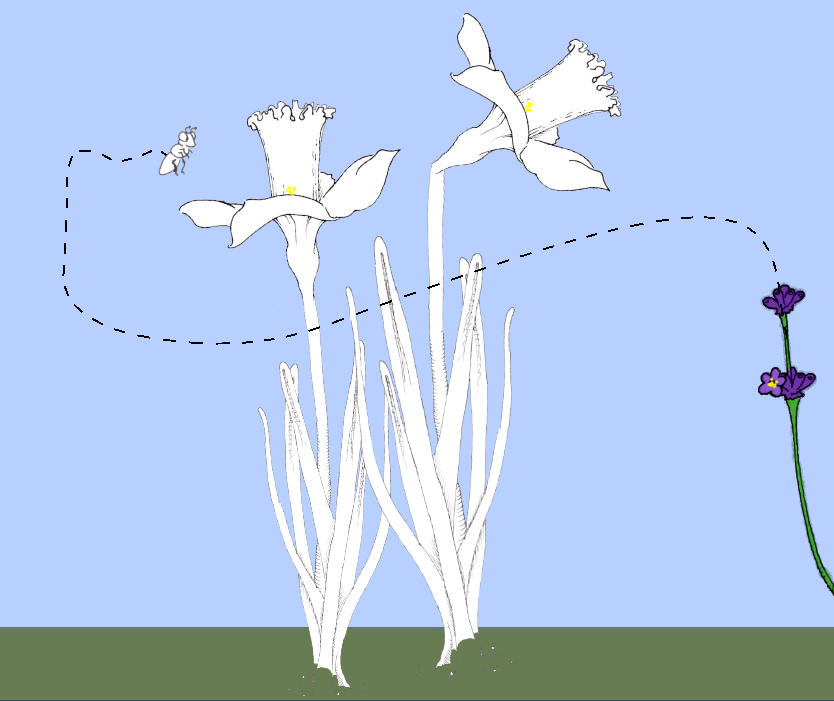
The daffodil bases (stems and leaves), I drew them way too big so after scaling the lines are too thin compared to the flowers. Maybe I should scale them bigger? The flowers look a little big headed or top heavy. Like a baby. But then they won’t fit on the screen.
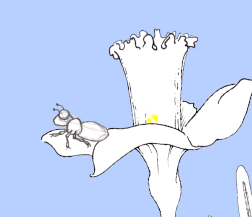
I also imported more bee assets. The walking looks, well, horrible. But at least I know what I need to work on now.
…
I really need a solution for the overall scale of the drawings.
Two assets I have where I think the scale is okay are the daffodil flower and the bee.
Daffodil flower (petal tip to tip)
- On paper: 82 mm
- Before scaling: 966 px
- After scaling: 352 px
- Ratio: 4.23 px/mm or 0.36
Bee (forehead to bottom)
- On paper: 17 mm
- Before scaling: 200 px
- After scaling: 79 px
- Ratio: 4.6 px/mm or 0.40
Not hugely different but if I can standardize all this I’ll save myself a lot of headache.
Based on those numbers, the dimensions of the viewport translate to…
1920 x 1080 -> 417-453 x 234-255 mm
Okay, I’ll go with 240 mm for the height of the screen. That fits on my sketchbook, just barely. That means 4.5 px/mm to get to 1080 px. Not sure what the exact number will be for the scan size yet but I’ll figure that out.
Oh, I guess I don’t have to scan a ruler to do that. (-:
82 mm -> 966 px 17 mm -> 200 px
They’re approx 11.8x so… 240 mm -> 2832 px.
So my scaling factor will be 0.38. I should always scale down from the scan size to the asset size using 38%. That’s my magic number.
Hope that works. (-:
I’ll have to redraw a few things but hey, I need the practice.